Course 04 · 8 steps · 4 chapters · about 10 minutes
Space + mix
Every part in its place: levels, reverb and echo.
Turn a loud, dry loop into a mix. Set the levels, hear a part alone, give the chords a room and the lead an echo, then warm the whole mix.
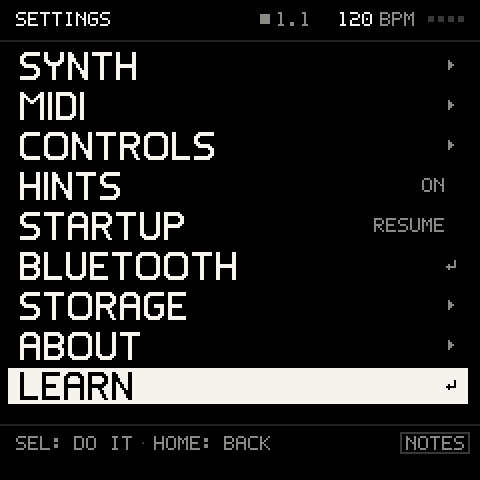
Comes with Groove OS 1.4, with five more courses. On your FM-1, tap GLO (SETTINGS), then LEARN.

Try it right here: the FM-1 above runs the real Groove OS, with the course's own guide. Sound on, and play its knobs, buttons and keys below.
8 steps · 4 chapters
What you'll play.
A step counts once you have played it; skip any and come back to it any time.
Chapter 1 · Levels3
- 01Hear the mix
- 02Turn the lead down
- 03Hear the bass alone
Chapter 2 · Sends2
- 04Give the keys a room
- 05Echo the lead
Chapter 3 · Main FX2
- 06Size the room
- 07Warm the whole mix
Chapter 4 · Keep1
- 08Keep your mix
On your FM-1
How to open it.
Four presses, wherever you are. No computer, no internet, nothing to add.Comes with Groove OS 1.4.
- 01Tap GLO.SETTINGS opens.
- 02Turn ALGORITHM to LEARN, the last row, and press SEL.The six courses, in order.
- 03Turn ALGORITHM to SPACE + MIX and press SEL.The FM-1 asks first, because the music stops.
- 04Turn ALGORITHM to START and press SEL.The course begins at its first step, on a fresh song. Your saved songs stay as they are; the course takes a song slot only if you save it at the end.