Groove OS 1.0 RC · for the M-VAVE FM-1
turns your M-VAVE FM-1 into a groovebox.
a groove from the first power-on, sounds that answer four knobs, steps you can lock and a stage for playing it live. on the FM-1 itself, installed from the browser in one click.
€29 once · Chrome or Edge · USB · stock firmware backed up first

01 · first groove
a groove in seconds.
a new FM-1 powers on into FIRST GROOVE: four tracks, already playing the moment you press PLAY. four more starters are one turn away, and every one of them is yours to change.

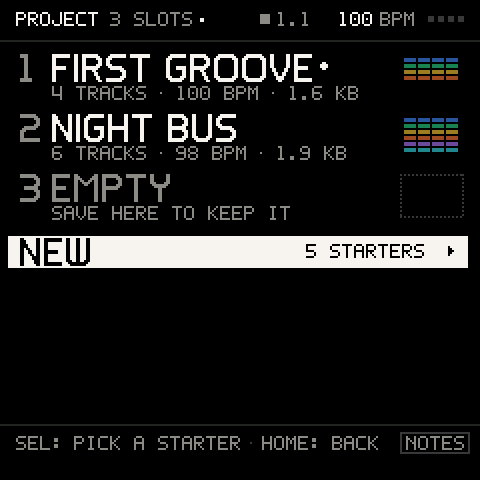
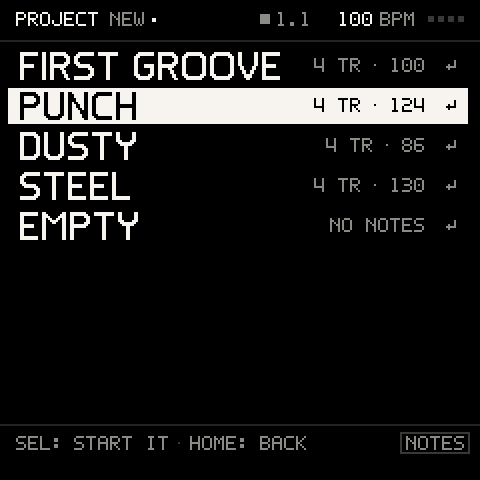
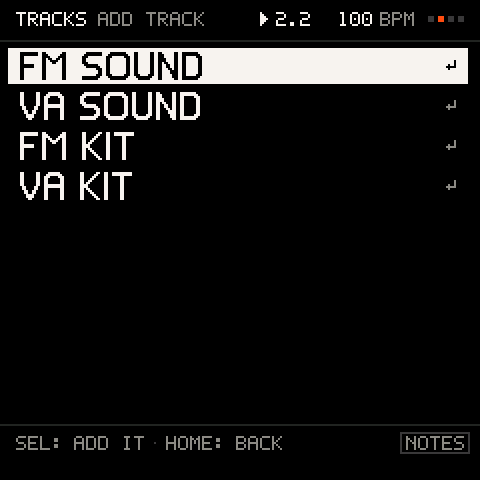
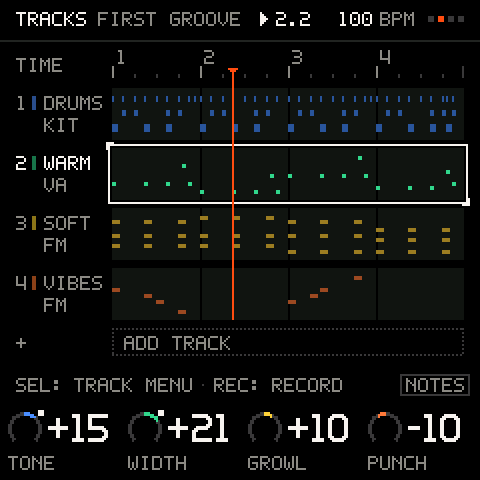
01 / 04PROJECT · NEW: five starters, one SEL away.
what's inside
- FIRST GROOVE · a new unit starts on a four-track song: press PLAY
- starters · PUNCH, DUSTY, STEEL and an EMPTY page, from PROJECT · NEW
- the wheel · SELECT turns TRACKS · MIX · KEYS · PERFORM · PROJECT; HOME always brings you back
- the legend · every page names what K1–K4 do, in the knobs' own colours
- help on hold · hold a button for a second: a card says what it does
- asks first · anything that deletes asks, and SHIFT + REC takes the last change back
02 · sound
sounds good on the first turn.
every sound comes with four macros chosen to change it for real. FM or VA on any track, a deep editor when you want one, and one FX chain every track can send into.
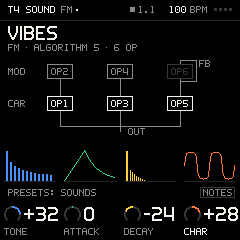
liveSOUND shows the track's voice: FM as its wiring, VA as its filter. Four curated macros bend each; PRESETS auditions as you turn.

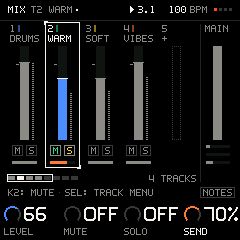
liveMIX: a strip per track and MAIN pinned. K1 the level, K4 the track's FX send; SEL on MAIN opens the chain, one effect at a time.
what's inside
- curated macros · four per sound, named for what they do, chosen so each one clearly changes it
- FM · the FM-1's own six-operator engine: 32 algorithms, operators, pitch envelope, LFO
- VA · a virtual analog voice: saw, square, triangle, sine, SUPER, sub and noise; ladder and state-variable filters, drive
- PRESETS · one list by type; turn to audition, SEL keeps it; favourites and recent
- FX send · drive, chorus, phaser, delay, reverb and filter for all tracks, a send per track and per pad
- DX7 import · single voices and whole banks, sent as SysEx
03 · sequence
64 steps. some happen by chance.
a step sequencer on every track: stack up to four notes on a step, lock a knob to one step, and let chance, ratchets and DICE keep it moving.

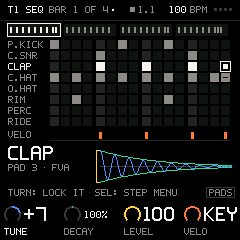
liveOn the DRUMS track: white keys are the 16 steps of a bar, black keys pick the pad; holding a step and turning a knob locks that one hit.
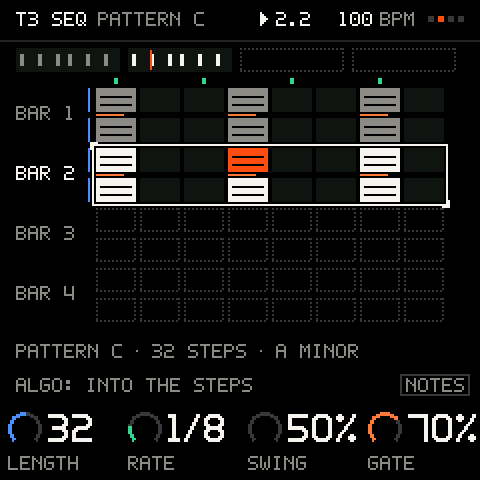
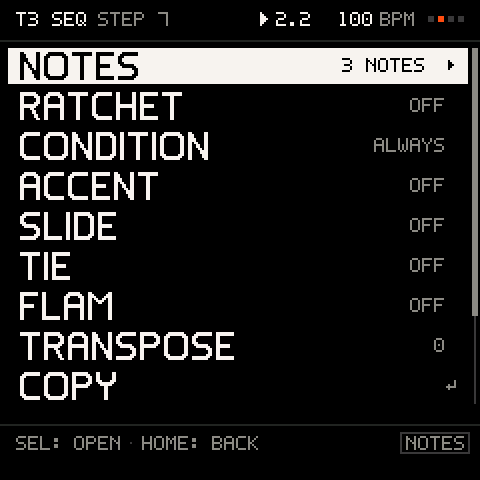
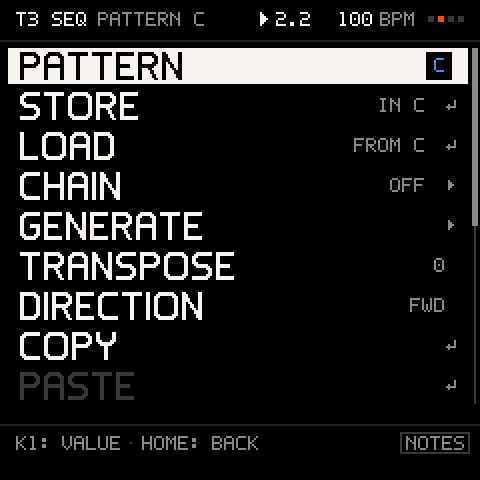
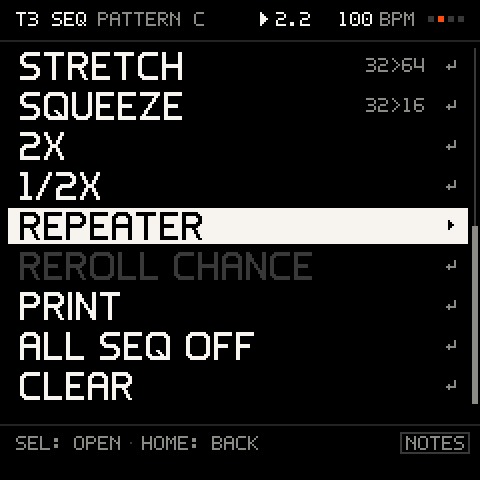
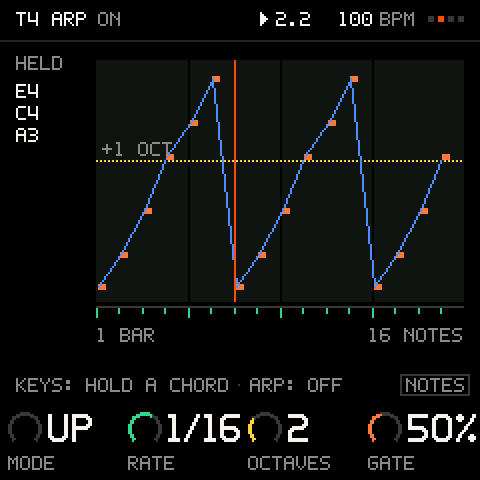
01 / 05the pattern row: LENGTH, RATE, SWING and GATE over every bar.
what's inside
- 64 steps · four bars of 16, patterns A to P on every track, chained
- stacked notes · hold keys together: one step, up to four notes, each its own velocity
- p-locks · hold SEQ and turn: a macro takes its own value on that step; on a kit, one hit
- per step · ratchet, condition, accent, slide, tie, flam, transpose
- chance and FILL · a step plays sometimes, every other bar, or only on a fill
- DICE · SHIFT + SEQ rolls a new beat, or a new line in key; SHIFT + REC takes it back
- kits · 8 pads by 16 steps, choke groups, velocity, a send per pad
- ARP · up, down, random, octaves, latch, in time with the track
04 · in key
no wrong notes.
pick a key once on KEYS and every track plays in it. turn CHORDS on and every key plays its chord.
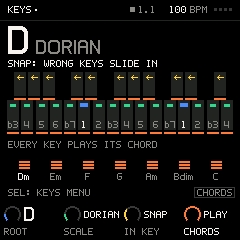
liveKEYS sets one root and scale for every track; wrong keys slide in. CHORDS: PLAY turns every key into its chord.
what's inside
- one key · a root and a scale for every track at once
- SNAP · a wrong key slides to the nearest right one
- FILTER · wrong keys stay silent
- WHITE · the scale moves onto the white keys
- CHORDS PLAY · every key plays its degree's chord, in key
- CHORDS PADS · eight chord pads from C, the left hand inverts, splits and strums
- voicing · colour, voicing, spread and roll, the chord's notes shown on the keys
- scale LEDs · the keys of the scale light up
05 · perform
play it live.
PERFORM puts the stage on the keys: mutes that land on the bar, scenes you capture and launch, punch-ins you hold, and four throws that always come back.

what's inside
- mutes · white keys 1–8: tap, and the track drops out on the bar; hold to solo
- together · SHIFT + taps stage several mutes; they land on one bar
- scenes · SHIFT + a black key captures the moment; a black key brings it back on the bar
- punch-ins · DIVE, LIFT, ECHO, WASH, three repeats and FILL on the top keys: hold, or tap to latch
- throws · K1–K4 push FILTER, SPACE, ECHO and DRIVE; SHIFT + SEL glides them back over a bar
- safe on stage · nothing on PERFORM deletes anything; SEL taps the tempo
- automation · knob moves recorded with the notes, a lane each, played every loop
- MIX · level, mute, solo and send per track, MAIN pinned
06 · keep it
never lose a take.
the session saves itself while you are stopped and is back at the next power-on. three slots keep the songs you want, and your projects export to your computer from the web.
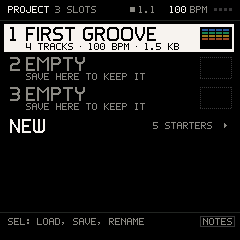
livePROJECT holds three slots with a thumbnail of their lanes; NEW starts one of five starters, each a groove that plays at once.
what's inside
- autosave · while stopped, the session is kept; never while you play
- resume · the next power-on brings it back as you left it
- capture · SHIFT + SAVE after a good pass: the last loop goes onto the track, no REC needed
- three slots · in the FM-1's own flash, each with its name, size and lanes
- crash-safe · a save is written whole before it replaces the old one
- export and import · projects to your computer and back, from the browser over USB
- undo · SHIFT + REC: the last take, a DICE, a cleared lane or a lock
- the unsaved dot · every page shows when a change is not in a slot yet
export and import live on /projects, in Chrome or Edge.
07 · studio
works with your gear.
the FM-1 keeps time with your studio, records what your controller plays, and can play your other synths.
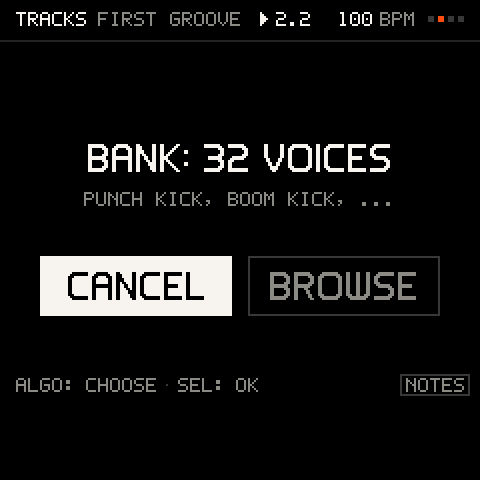
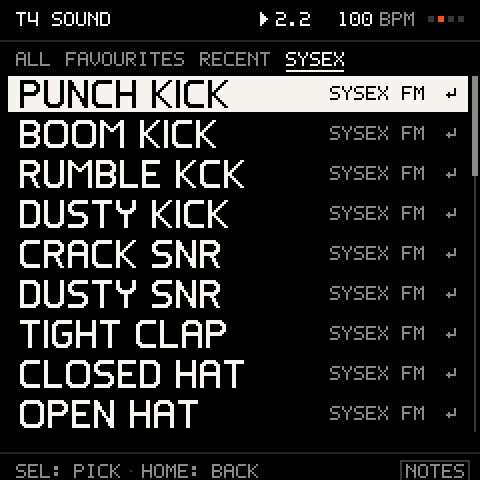
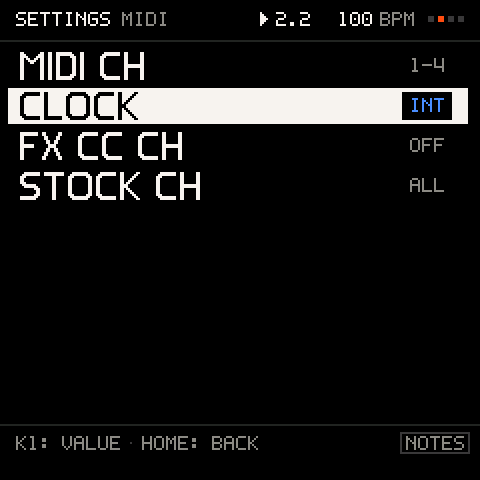
01 / 03a 32-voice DX7 bank arrives over MIDI: cancel it, or browse it.
what's inside
- MIDI clock · follow a DAW's tempo, or send the FM-1's out
- a channel per track · a controller or a DAW plays and records any track
- MIDI OUT tracks · a track plays your other synths, on its own channel
- program change · pick sounds from outside
- CC map · the panel's knobs as MIDI CCs
- USB and Bluetooth · both, as the stock firmware has them
08 · install
one cable. one click. one way back.
installs from the browser, with nothing to download. the stock firmware is backed up first, and is one click away.
- 01
connect the FM-1 to a computer with a USB data cable. some cables only charge.
- 02
sign in and open the installer in Chrome or Edge. it reads what your FM-1 runs.
- 03
install one click. the stock firmware is backed up first; then it verifies, writes and confirms.
- 04
play switch the FM-1 off and on. the boot takes one bar; then FIRST GROOVE is waiting on TRACKS.
Chrome or Edge · USB data cable · FM-1 on V15
what's inside
- in the browser · Chrome or Edge talk to the FM-1 over USB; no app, no drivers
- backed up first · the stock firmware is kept before anything is written
- checked · every part is verified as it is written, then confirmed after a restart
- the way back · one click returns the FM-1 to M-VAVE's own V15, any time
- safe mode · hold OCT− and OCT+ at power-on for a stock FM-1, any time
09 · price
one price. every 1.x update.
€29, paid once, and Groove OS is yours with every 1.x update. it installs from the browser, and the stock firmware is one click away, any time.
what you get
- firmware
- Groove OS 1.0 for the M-VAVE FM-1: tracks, steps, kits, keys, perform and projects
- installer
- in this browser over USB. the stock firmware is backed up first, every write is checked
- updates
- every 1.x release, installed from the same page
- the way back
- M-VAVE's own V15 in one click, any time; safe mode at power-on
- requires
- an M-VAVE FM-1 on firmware V15, a USB data cable, Chrome or Edge on a computer
fig. 9.1 · Groove OS 1.xfor the M-VAVE FM-1
€29once
- onceno subscription. it stays yours.
- every 1.x updateincluded, installed the same way.
- from the browserChrome or Edge over USB. nothing to download.
- one way backstock V15 is one click away, any time.
secure payment by Stripe. your receipt is kept on your account page.
10 · specifications
the numbers.
the panel, as Groove OS uses it, and everything above as a spec sheet.
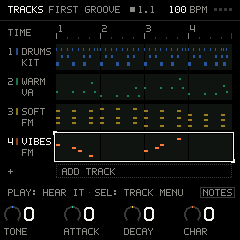
- 01SELECT: the wheel: five pages
- 02screen: 240 × 240 px
- 03K1–K4: the page's four values
- 04MASTER: volume
- 05ALGORITHM: the cursor
- 06PRESETS: the track's sound
- 07OCT− / OCT+: the track's octave
- 08keybed: 27 keys
- 09SEL: open · OK
- 10GLO: settings
- 11REC: record
- 12HOME: back · hold = SHIFT
FM-1 · 161.5 × 96.5 × 28.6 mm · 251 g
- tracks
- 1 to 8, each a loop of 1 to 8 bars; each an FM or VA sound, an FM or VA kit, or MIDI OUT
- sequencer
- 64 steps per pattern, 16 patterns per track (A–P), chains; up to 4 notes per step
- per step
- velocity per note, length, chance and condition, ratchet, accent, slide, tie, flam, transpose
- p-locks
- a track's 4 macros per step; a kit hit's tune, decay, level and velocity; 64 per project
- sound
- six-operator FM (the FM-1's own engine), 32 algorithms; a VA voice; 4 curated macros per sound
- kits
- 8 pads, choke groups, velocity, a send per pad; FM and VA kits
- keys
- a root and a scale for every track: snap, filter or white keys; chords as pads or on every key
- perform
- 8 mutes on the bar, 11 scenes, 8 punch-ins, 4 throws, tap tempo
- automation
- knob moves recorded with the notes, a lane per knob, saved with the project
- fx
- drive, chorus, phaser, delay, reverb and filter for all tracks; a send per track
- projects
- 3 slots in flash, crash-safe, an unsaved dot; autosave and resume; 5 starters
- export
- projects to your computer and back, from Chrome or Edge over USB
- tempo
- 40 to 240 BPM, tap tempo, MIDI clock in and out
- midi
- a channel per track, MIDI OUT tracks, program change, panel CC map, DX7 SysEx; USB and Bluetooth
- screen
- 240 × 240 px, colour; every page drawn by Groove OS
- install
- from Chrome or Edge over USB; stock firmware backed up first
- safe mode
- hold OCT− and OCT+ at power-on: a stock FM-1
- requires
- M-VAVE FM-1 on firmware V15
Groove OS runs on top of the stock V15 firmware. the FM engine, USB and Bluetooth MIDI, the keys and the LEDs are M-VAVE's; the pages, the tracks, the VA voice and the tools are ours.