Power on, and the wheel
The boot screen writes the mark step by step; a new FM-1 lands on FIRST GROOVE. PLAY, then SELECT turns the wheel: TRACKS, MIX, KEYS, PERFORM, PROJECT.
groove os · in your browser
not a video. the screen below is drawn by Groove OS itself, the same C code the FM-1 runs, compiled to WebAssembly. it powers on like a new unit: the boot, then FIRST GROOVE. turn the sound on to hear it: the FM-1's audio path runs here too, the DX7 engine it is built on, our VA engine, the master effects and the limiter.
SELECT turns the wheel (TRACKS · MIX · KEYS · PERFORM · PROJECT), ALGORITHM moves the cursor, SEL opens what it is on, HOME goes back and is SHIFT while held, K1–K4 turn the page's four values. drag the knobs, hold the buttons as on the unit, play the keys; click the panel to use your keyboard.
loading the OS…
The boot screen writes the mark step by step; a new FM-1 lands on FIRST GROOVE. PLAY, then SELECT turns the wheel: TRACKS, MIX, KEYS, PERFORM, PROJECT.
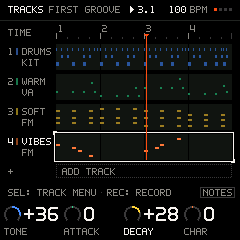
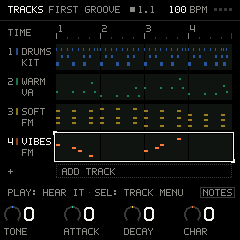
PLAY the starter a new FM-1 boots into, then turn the curated macros on two of its tracks.
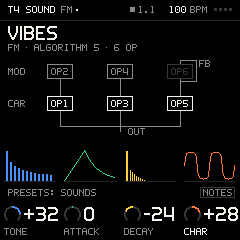
SOUND shows the track's voice: FM as its wiring, VA as its filter. Four curated macros bend each; PRESETS auditions as you turn.
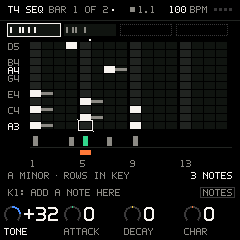
The TRACK menu's SEQUENCER on VIBES: keys write stacked notes at the cursor, a held SEQ locks a macro on one step, PLAY walks the bars, DICE rolls a new line.
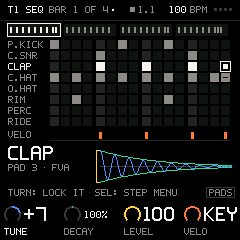
On the DRUMS track: white keys are the 16 steps of a bar, black keys pick the pad; holding a step and turning a knob locks that one hit.
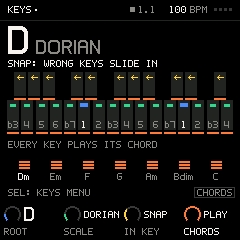
KEYS sets one root and scale for every track; wrong keys slide in. CHORDS: PLAY turns every key into its chord.
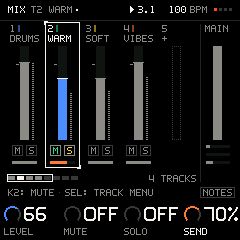
MIX: a strip per track and MAIN pinned. K1 the level, K4 the track's FX send; SEL on MAIN opens the chain, one effect at a time.
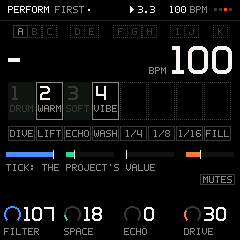
PERFORM puts the stage on the keys: white keys mute on the bar, black keys capture and launch scenes, the top white keys punch in, K1–K4 throw the FX.
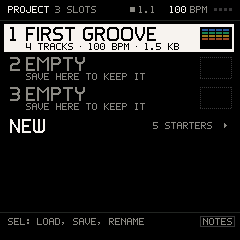
PROJECT holds three slots with a thumbnail of their lanes; NEW starts one of five starters, each a groove that plays at once.