Chapter 13
Installing and recovering firmware
Groove OS is installed as a patched copy of M-VAVE's own V15 firmware. The install uses the FM-1's USB download mode, which writes only the parts of the flash that changed, checks every one of them and keeps a full backup of the old contents. The same path brings a unit back if an install ever goes wrong.
Careful: The FM-1 has one firmware slot and no recovery button. Download mode needs the firmware to reach USB, even briefly; Groove OS is built so that it always does (nothing of ours runs in the first 2.5 seconds). A mask-ROM recovery path exists on the chip but has not been demonstrated on an FM-1. Read this whole chapter before you start.
What you need
| Item | Notes |
|---|---|
M-VAVE's V15 firmware, FM-1.fwsc | From M-VAVE's download page ("PC Firmware"). The packager accepts only the exact file; its SHA-256 is db1642b2b6fa5c2cccb11ffd13878068bb28601678d3644049f99dc40e7edb8a. |
| A computer with USB and Python 3 | The download-mode tools use pyusb. On macOS the flasher needs sudo. |
| Docker | Only to build the package yourself (it runs JieLi's compiler). |
| A USB cable | Data, not charge-only. |
There is no published release package yet: you build the package yourself from M-VAVE's file, as below.
Building the package
make selftest STOCK=~/Downloads/FM-1.fwsc   # must print "selftest OK"
make package  STOCK=~/Downloads/FM-1.fwsc   # writes build/FM-1-groove-os.fwsc
The packager changes only a few places in the stock code: 9 call sites that hand control to Groove OS (keys, MIDI in, SysEx, the event and frame loops), 4 memory-layout constants, the version string, and three small DX7 engine fixes (detune, LFO rate, velocity 0). Then it appends the Groove OS code. It checks every byte it patches against the expected stock values, prints every difference, and refuses anything that would not fit.
Installing (USB download mode)
-
Connect the FM-1 over USB and switch it on. Quit any music apps.
-
Put the synth into download mode:
killall MIDIServer; .venv/bin/python tools/fm1_enter_uboot.pyThe FM-1 reboots into JieLi's download mode; the tool reports
WL80UBOOT1.00. -
Write the package:
sudo .venv/bin/python tools/fm1_uboot_recover.py --max-sectors 40 build/FM-1-groove-os.fwsc -
The tool saves a full backup of the flash to
build/flash-backup-*.bin, writes only the changed 4 KB sectors, reads each back, verifies the whole image and reboots the synth. -
The Groove logo plays and TRACKS appears. Run through Getting started to check the controls.
| Flasher option | What it does |
|---|---|
--max-sectors N | Stops before writing if more than N sectors differ (default 8). 40 covers a normal update. |
--keep-vm | Keeps the stock settings area. Use it only when the tool reports the same settings (VM) start as the build you have installed. If the start moved, leave it off so the stock firmware formats fresh settings. |
--wipe-projects | Also erases the project area. Without it, the project area is always preserved. |
--full | Allows any number of changed sectors. Needed for going back to stock, or when an install is far from the build on the synth. |
Pro tip: If the flasher sits at
Waiting for [usb:4c4a:8057], download mode timed out while you were typing your password. Run step 2 again and then step 3 straight away.
Presets and stock sequencer patterns live in a separate flash area that the installer never touches. Moving the settings area resets the stock global settings, as M-VAVE's own V14 to V15 update did.
Going back to stock
From download mode (steps 1 and 2 above), write M-VAVE's own file:
sudo .venv/bin/python tools/fm1_uboot_recover.py --full FM-1.fwsc
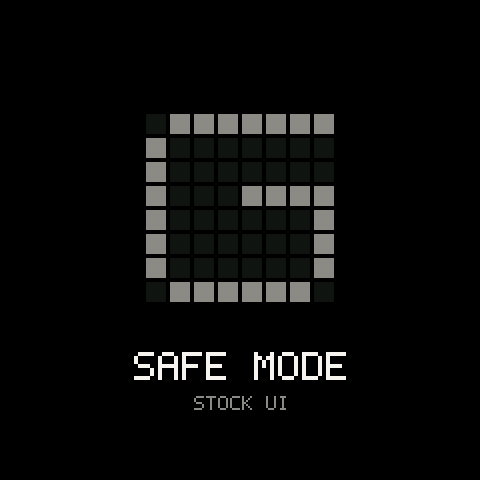
To try the stock firmware without reinstalling, use safe mode: hold OCT- and OCT+ while switching on. Groove OS stays off until the next power cycle.
If it doesn't boot
This happened once during development and was recovered without opening the unit.
- Start
tools/fm1_enter_uboot.pyfirst; it keeps trying for 25 seconds. Then switch the synth on. The tool catches the moment USB comes up and drops the FM-1 into download mode. - Run
sudo .venv/bin/python tools/fm1_uboot_recover.py FM-1.fwsc(or any good package; add--fullif it reports too many sectors).
If even that fails, stop power-cycling while connected and don't try random tools. The remaining route is JieLi's mask-ROM USB mode, which needs extra hardware and has not been proven on an FM-1 yet.
Installing with an updater
M-VAVE's M-UPGRADE and other .fwsc installers can in principle install a package built with make package VERSION=060. This route rewrites the whole app area, takes a minute or two and has not been tested with the current Groove OS layout. Use download mode.
Troubleshooting
| What happens | Why, and what to do |
|---|---|
fm1_enter_uboot.py finds no synth | A music app or the MIDI server holds the port. Quit them and run killall MIDIServer first. |
The flasher waits for usb:4c4a:8057 forever | Download mode timed out. Enter it again (step 2) and start the flasher right away. |
| The flasher stops: too many sectors | More differs than --max-sectors allows. Check the printed layout; raise the limit only if you expect a large change. |
| The stock settings were reset after installing | The settings area moved with this build. Set them again on the stock GLO page. |
| The screen freezes or keys are silent after an install | Switch on with OCT- and OCT+ held (safe mode) and reinstall the previous package, or go back to stock. |
The packager rejects my FM-1.fwsc | It isn't the exact V15 file. Download it again from M-VAVE. |